Fixing the Dock

Mac Dock Replacement Apps Simplified

A Mac Dock replacement is one of three ways to fix the macOS Dock.

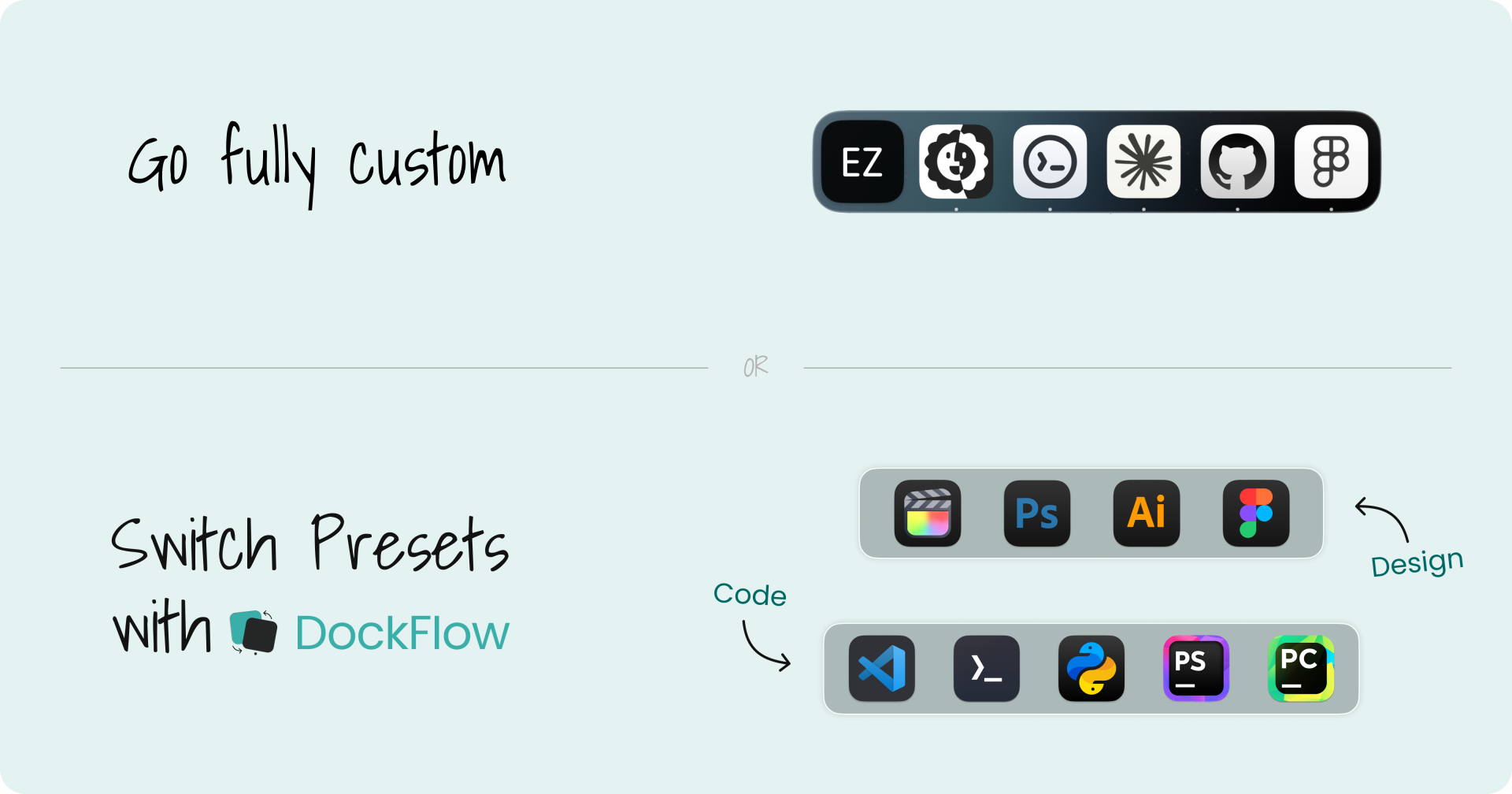
You can replace it, add extra docks, or manage it with presets.

Which is right depends on whether your problem is how the Dock looks or how you work.

Get DockFlow

30-day money-back guarantee.

A fully custom Mac Dock, or switching between coding and design presets with DockFlow

The 3 approaches to replacing the Mac Dock

Workflow-based · DockFlow

Manage the Dock with Presets

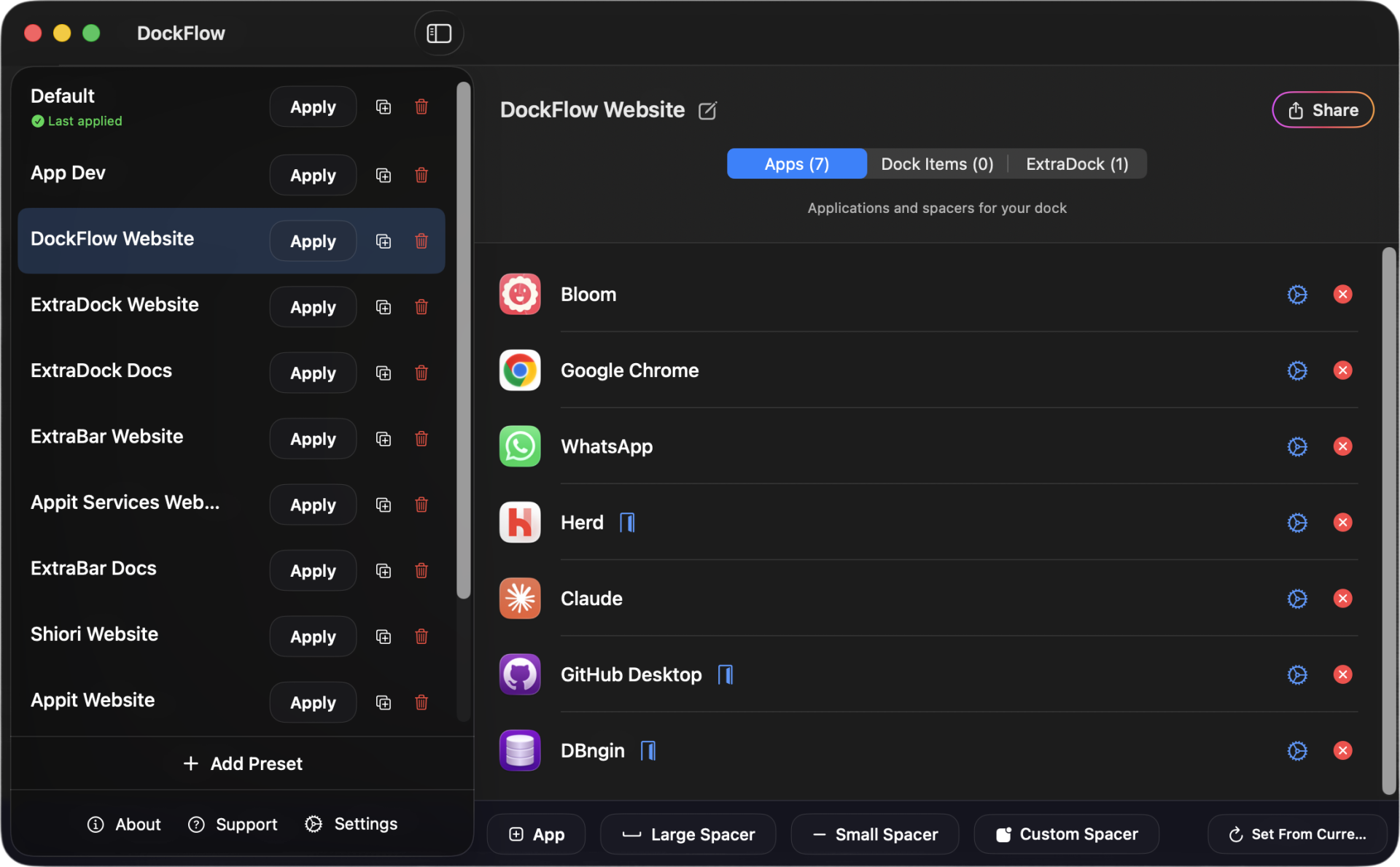
DockFlow keeps the native macOS Dock. It saves a Dock preset (profile) for each work mode or project and switches between them instantly.

Each switch closes the apps you don’t need and opens the ones you do.

Choose this if you bounce between different kinds of work, like client projects and coding. A preset can launch your IDE with the right project already open.

DockFlow Dock presets for different work modes
Replacement · Dedicated dock apps

Replace the Dock

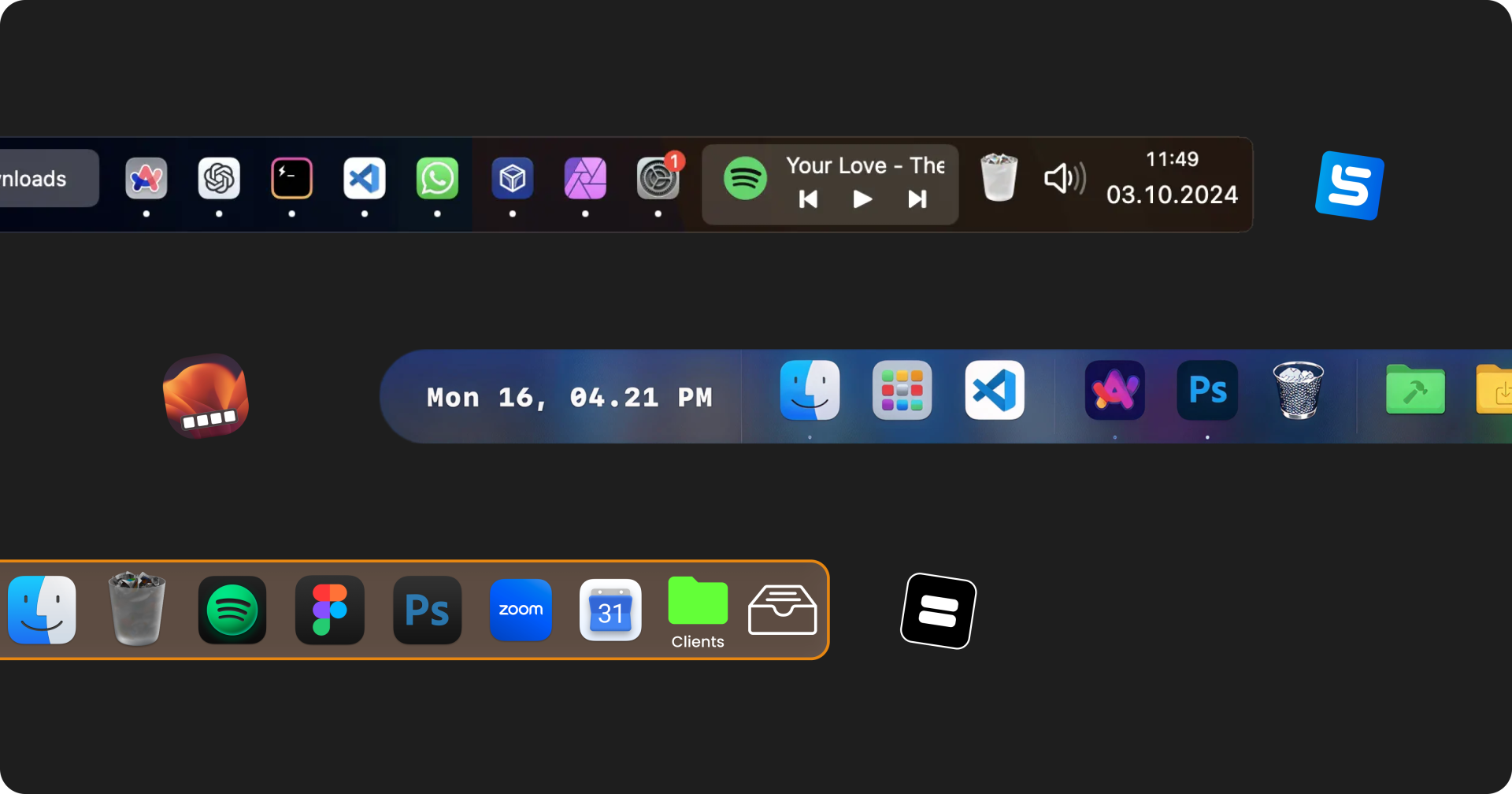
Replacement apps swap Apple’s Dock for one of their own. They add what macOS leaves out, like window previews, multi-monitor docks, and more customization.

Choose this if your problem is how the Dock looks, or that it only shows on one screen.

Examples of Mac Dock replacement apps
Add on · ExtraDock

Add Extra Docks

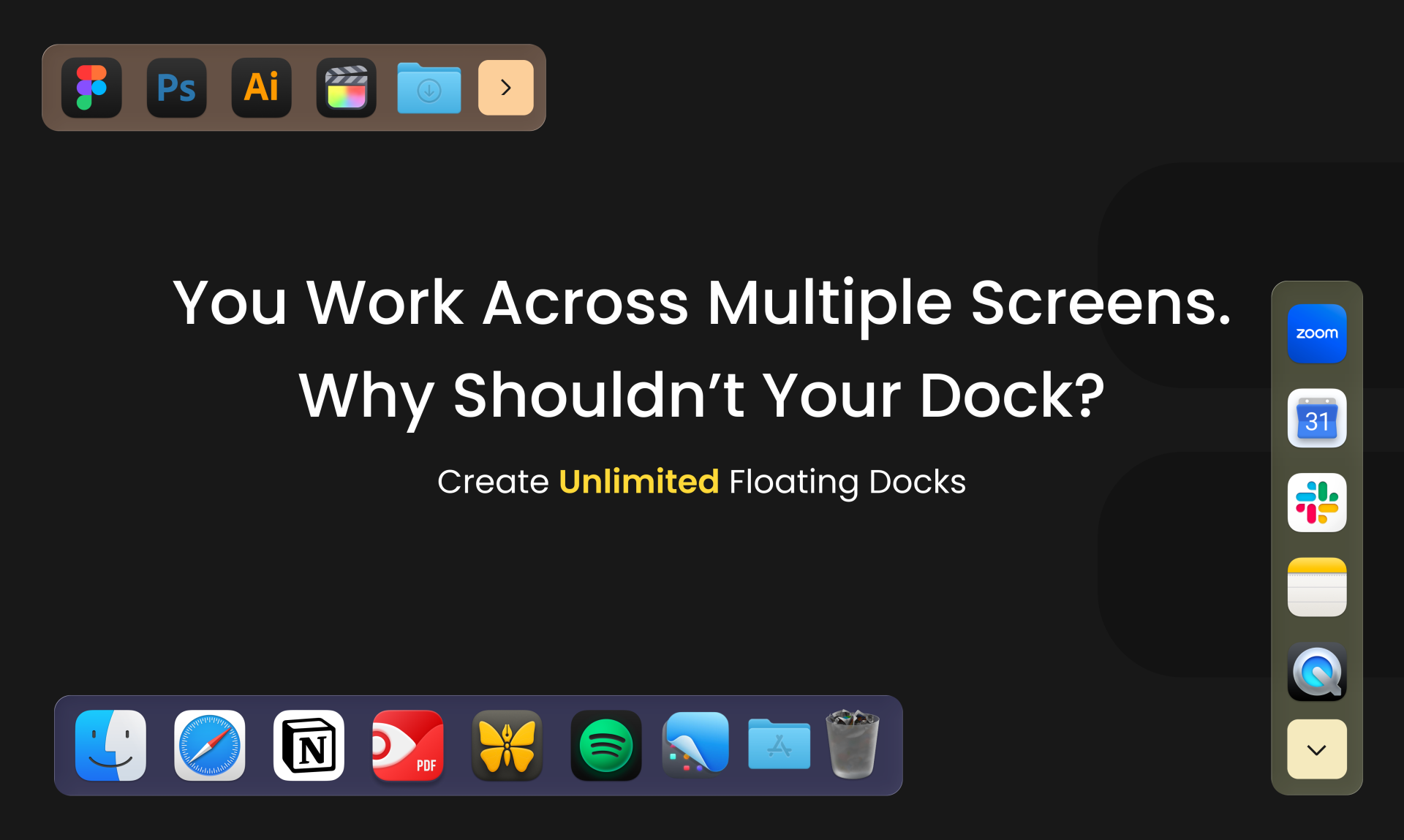
Add-ons like ExtraDock leave the native Dock alone and give you extra floating docks. They can add widgets and quality-of-life features the default macOS Dock doesn’t have.

Choose this when you want more docks or one on every screen, not a different way of working.

ExtraDock adding extra docks on macOS

Features

The core is simple. But if you want more, DockFlow's got your back.

Watch all our main features in action

Hotkeys Setup

Switching manually?

Set hotkeys to switch instantly.
Choose between hotkeys, key sequence or multi press

Folders, Files & Links

Not just apps.

Folders, Files, or website links.
All personalized to each preset.

Dock Spacers

Group apps your way.

Use Dock spacers to separate your apps groups visually

App Actions

Control what happens after the switch

Define how apps launch.
Open your IDE with a project, or switch browser profiles.

Apple Shortcuts

Already got your workflows?

Connects with Apple Shortcuts.
Add it to your existing workflows easily.

Focus Modes

Context switching, done right.

Activate Focus Mode.
Dock switches. Apps launched. Ready to work.

Lock Dock

Lock Your Dock

Lock your Dock to a specific screen, no more jumping around.

Wall of Love

Don't take our word for it… take theirs.

Here are some stats. Across all the reviews and dock customisation apps over the past year, I mentioned DockFlow 22 times. I first mentioned it in my very first "apps I am not uninstalling" posts. The review was long, but I randomly grabbed a few words from it.

  • DockFlow fundamentally alters the default Dock without replacing it, and it doesn’t require any security settings changes like with cDock.
  • DockFlow comes in to save the day.
  • It's genuinely addressing a problem I never realised I had.
  • This app's functionality should be included in macOS by default.

What it was then and what it has become are completely different, and it is hard to believe how the app has developed over the year.
Congrats Appitstudio.

The Focus Modes integration is fantastic; the Dock changing automatically when I switch to a mode is a real time-saver.

This app is great. Night and day between before I bought this yesterday and my improved workflow now.

Phil · DockFlow user

I've been pushing DockFlow hard with the full intent of making it fail, but it has not disappointed. Like a workhorse, it keeps changing docks, updating correctly, and doing what it's good at—all without any software crashes. So, congrats as always, guys - it's good and stable.

u/andreshows · Dock App Reviewer

I've been using this app for a while and I find it useful. I use it to jump between Video Editing and Coding setups with one click.

I purchased ExtraDock a few days ago, and it rocks. It's a great combo along with DockFlow, which I acquired a month ago. I'm getting familiar with those two apps now and using them every day.

Steve · DockFlow user

I've thoroughly enjoyed using DockFlow over the past few days, it's truly enhanced my productivity by allowing seamless switches between Dock presets for research, coding, and writing tasks.

Liu · DockFlow user

Have this app. It’s great. Better than the alternatives and I’ve tried them all.

Developer is very active. It feels like every day when I boot my Mac I get a popup that there is yet another new update ready for download. I get way more updates than any other app I’ve ever installed in 30 years. Same with the sister app ExtraDock.

Pretty excited that the DockFlow app works really well, especially the functionality of being able to lock the dock. That's why I like your solution better.

Watch the video

Murali · Productivity YouTuber

It's super handy if you use your Mac for different things, like work, side projects, or just chilling, and want a clean setup for each. It's one of these things that you didn't know you need until you try it.

Read the full review

I actually went ahead and purchased it. So far so good!!! It’s so relieving to unclog my Dock. And to create different setups for different use/focus cases. Brilliant work mate. The idea is simple and effective. I love it.

Congrats on keeping your commitment to users going for a year! I am looking forward to seeing what you do in the next 12 months. You guys are role models and just a real pleasure to work with.

I've wanted a dock management app for a long time - I thought maybe it wasn't possible but you managed it 👍

Jim · DockFlow user

Thanks for an amazing app and for actually meaning it when you say lifetime 🙏

You just saved my life when I am travelling with my tiny MacBook. This will help not just me but others too.

Just wanted to say I use your app, and really enjoy it. My Mac is my life. I use it for personal and work, but I don't want to see work staring at me if I use it in the evening. Your app helps me put up a healthy barrier quickly and easily. I pair it with a start day/end day shortcut, and it's perfect. Thanks!

Edit: I purchased a lifetime seat and couldn't be happier.

After two weeks of intensive use with extensive automation setup, DockFlow has become essential infrastructure in my macOS environment. The combination of manual preset switching via hotkeys and automated preset activation via Shortcuts transformed how my Mac adapts to workflow changes.

Read the full review

Been using this since launch. Developers are working so hard on this, adding features, responding to feedback. Right now I just use it for Work vs Personal contexts, and have it activate via focus modes (work turns on automatically at 8:30am and off at 5:30pm every day).

It's so good - sometimes all I need to stay on track is to have/not have the app icon in front of me. This is one of those things that should be native.

DockFlow is an amazing program. I bought the lifetime license over the weekend and love what you did with it. If it never got another update other than bug fixes I would be super happy with the purchase. Awesome job!

Tom · DockFlow user

Bought the app a few weeks ago, and it really makes a difference.

I switch between my editorial work and photography/filmmaking five times a day, and having a Dock with only the apps I need for each is a real pleasure.

Really nice to see such a beautiful app that can do something I want forever. Much cleaner than using shortcuts and focus modes like I have been.

This is exactly what I have been looking for! So happy to have found this.

I've truly enjoyed using DockFlow across my two devices. It's been a fantastic experience, and I'm happy to be a loyal customer.

Rahul · DockFlow user

This turns out to be a really useful app and really flexible.

John · DockFlow user

Pricing

One Year License

$14.99 / 1 Year

Taxes might apply

Included One year access for 1 Mac
Included One year of updates
Included Unlimited Presets
Included 30-day money-back guarantee
BLACK FRIDAY - 50% OFF

Lifetime Access

$20.48 $40.96

Taxes might apply

$20.48 per Mac

Included Lifetime access for 1 Mac
Included One year of updates
Included Unlimited Presets
Included 30-day money-back guarantee
BLACK FRIDAY - 50% OFF

Forever Edition

$49.99 $99.99

Taxes might apply

Included Forever access up to 5 Macs
Included Forever Updates
Included All future app versions
Included Unlimited Presets
Included 30-day money-back guarantee

Standard Lifetime licenses include one year of updates and keep working forever.
Renewal is optional at $9.99 per year. Forever Edition includes all future updates for life.

The 4-in-1 productivity bundle

ExtraBar brings custom actions to your menu bar.

ExtraDock brings your Dock to every display.

Shiori saves all your bookmarks in the menu bar.

Explore the bundle

Black Friday Deal - 50% OFF

Worth $139.98 separately!

$69.99

Get all our products!
Bundle price saves you 50%!

Valid for 1 device
Permanent licenses
One year of updates included
One-time payment
Claim Bundle 50% Off Now!
ExtraBar
ExtraDock
DockFlow
Shiori
Stop Rearranging.
Start Working.

DockFlow switches your entire setup in one click, so you can focus on what matters.

BUY 50% OFF 🚨